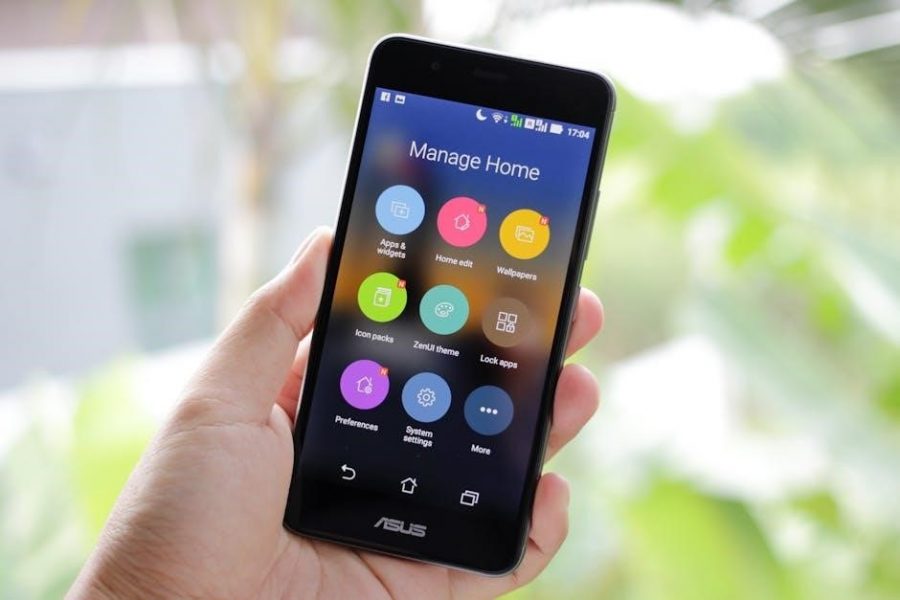
This manual guides you through setup, operation, and maintenance of your GE dehumidifier, integrating with Google Nest/Cync for smart control.
What is a Dehumidifier and Why Do You Need One?
A dehumidifier extracts excess moisture from the air, helping to maintain comfortable humidity levels within your home. Excessive humidity can foster mold and mildew growth, triggering allergies and damaging your property. GE dehumidifiers are designed to combat these issues, improving indoor air quality and protecting your belongings.
Controlling humidity prevents musty odors, condensation on windows, and a generally uncomfortable, damp feeling. Utilizing features like auto-restart and continuous drain options, GE models offer convenient and efficient moisture removal, enhancing your living environment.
Key Features of Your GE Model
Your GE dehumidifier boasts several advanced features for optimal performance. Enjoy smart home integration with Google Nest/Cync, enabling remote control via voice commands or the Google Home app. The digital display provides clear operation status, while selectable modes – Auto, Continuous, and Manual – cater to diverse needs.
Additional benefits include adjustable fan speeds, precise humidity control settings, and a convenient timer function. The auto-restart function ensures operation resumes after power outages, and the continuous drain option allows for uninterrupted moisture removal.

Getting Started
Carefully unpack your GE dehumidifier, inspect for damage, and position it appropriately before plugging it in for initial setup and operation.
Unpacking and Inspection
Upon receiving your GE dehumidifier, carefully remove all packaging materials. Inspect the unit thoroughly for any visible signs of damage that may have occurred during shipping. This includes dents, scratches, or broken parts. Verify that all components are present, referencing the parts list included in this manual. If any damage is detected, or if parts are missing, do not attempt to operate the dehumidifier. Immediately contact GE support or the retailer where you purchased the unit to report the issue and arrange for a replacement or repair. Retain all original packaging materials for potential return or warranty claims.
Initial Setup and Placement
Before operating your GE dehumidifier, ensure it’s placed on a level surface, allowing sufficient space around all sides for proper ventilation – at least 12 inches. Avoid placing it near heat sources, windows, or areas with excessive dust. Position the unit in the central location of the area you wish to dehumidify for optimal performance. Ensure the water tank can be easily accessed for emptying. For continuous drainage, connect a hose to the designated outlet and route it to a suitable drain. Avoid obstructing the air inlet or outlet grilles.
Powering On and Basic Operation
To power on your GE dehumidifier, plug it into a grounded outlet. Press the power button; the unit will initiate a self-check; Select your desired mode – Auto, Continuous, or Manual – using the control panel. Adjust the humidity level using the up/down arrows, setting your preferred comfort level. The fan speed can also be adjusted for quieter operation or faster dehumidification. Monitor the digital display for current humidity levels and operational status. Allow several hours for the unit to reach the set humidity.

Understanding the Control Panel
The control panel features a digital display, mode selection, fan speed controls, and humidity settings for customized operation of your GE dehumidifier.
Digital Display Overview
The GE dehumidifier’s digital display provides crucial information at a glance. It prominently shows the current humidity level in the room, allowing for easy monitoring of performance. The set humidity level is also displayed, indicating your desired dryness.
Furthermore, the display indicates the selected operating mode – Auto, Continuous, or Manual – and the chosen fan speed. Error codes, should they occur, will appear here, prompting troubleshooting; The display’s brightness is automatically adjusted for optimal visibility, ensuring clear readability in various lighting conditions. It’s your central hub for understanding the dehumidifier’s status.
Mode Selection (Auto, Continuous, Manual)
Your GE dehumidifier offers three distinct operating modes. Auto Mode intelligently adjusts fan speed and operation based on the room’s humidity, maintaining your set level efficiently; Continuous Mode runs the unit constantly, maximizing moisture removal – ideal for very damp environments.
Manual Mode allows you to precisely control both fan speed and humidity settings, providing customized performance. Selecting a mode is straightforward via the control panel. Consider your needs: automatic comfort, maximum drying, or personalized control. Each mode optimizes the dehumidifier for specific situations.
Fan Speed Settings
Your GE dehumidifier provides multiple fan speed options to tailor performance to your comfort and needs. Typically, these include Low, Medium, and High settings. Lower speeds minimize noise, perfect for bedrooms, while higher speeds maximize moisture removal in larger or very damp spaces.
Adjusting the fan speed impacts both the dehumidifier’s noise level and its energy consumption. Experiment to find the optimal balance between quiet operation and efficient drying. The control panel allows easy selection of your preferred fan speed, enhancing your overall experience.
Humidity Control Settings
Your GE dehumidifier allows precise humidity control, typically ranging from 30% to 80%. Lower percentages indicate drier air, ideal for preventing mold and mildew. Higher settings are suitable for maintaining a more comfortable humidity level, especially during drier seasons.
Select your desired humidity level using the control panel. The dehumidifier will automatically cycle on and off to maintain that setting. Consider your environment – basements often require lower settings than living areas. Consistent monitoring ensures optimal comfort and air quality.

Maintenance and Cleaning
Regular cleaning of the air filter, water tank, and occasional descaling are crucial for optimal performance and longevity of your GE dehumidifier.
Cleaning the Air Filter
Maintaining a clean air filter is essential for efficient dehumidification and air quality. The filter traps dust, allergens, and particles, preventing them from circulating. Regularly inspect the filter – typically every few weeks with normal use – and clean or replace it as needed. To clean, remove the filter and gently vacuum it or wash it with mild soap and water. Ensure the filter is completely dry before reinstalling it to avoid damaging the unit or promoting mold growth. A clogged filter reduces airflow and increases energy consumption.
Emptying the Water Tank
Your GE dehumidifier collects moisture in a water tank. When full, the unit will typically alert you with a signal or indicator light. To empty, carefully remove the tank from the dehumidifier, using the handle provided. Gently tilt the tank and pour the collected water down a drain. Avoid spilling, as this can create a slip hazard. Reinsert the tank securely until it clicks into place to resume operation. Regular emptying prevents overflow and ensures continuous dehumidification performance.
Using the Continuous Drain Option
For uninterrupted operation, your GE dehumidifier offers a continuous drain option. Locate the drain port on the rear of the unit. Attach a standard garden hose (not included) to this port, directing it to a suitable floor drain or sink. Ensure the hose isn’t kinked or elevated higher than the unit’s base. Disable the “full tank” alert in the settings. This eliminates manual emptying, ideal for consistent humidity control, especially in damp environments, and long-term use.
Descaling the Unit
Over time, mineral deposits can accumulate inside your GE dehumidifier, reducing efficiency. Descale annually, or more often in areas with hard water. Turn off and unplug the unit. Prepare a descaling solution (following product instructions – vinegar can be used). Pour the solution into the water tank and run the dehumidifier on high fan speed for several hours. Afterwards, drain and rinse thoroughly with clean water, repeating until the solution smell is gone.
Troubleshooting Common Issues
This section addresses typical problems like the unit not powering on, insufficient humidity removal, unusual noises, and deciphering error codes for swift resolution.
Dehumidifier Not Turning On
If your GE dehumidifier fails to power on, first verify the power cord is securely plugged into a functioning electrical outlet. Check the circuit breaker or fuse box to ensure the circuit hasn’t tripped or blown. Confirm the unit’s power button is firmly pressed.
Inspect the control panel for any illuminated error indicators. If the issue persists, attempt a different outlet to rule out a power source problem. A reset might be necessary; unplug the unit for several minutes, then plug it back in and try again. If these steps don’t resolve the issue, consult the warranty information for service options.
Low Humidity Removal
If your GE dehumidifier isn’t effectively removing humidity, ensure the air filter is clean, as a clogged filter restricts airflow. Verify the unit isn’t positioned too close to walls or furniture, hindering air circulation. Select a lower humidity setting on the control panel for increased operation.
Confirm the room isn’t excessively large for the dehumidifier’s capacity. Check that windows and doors are properly sealed to prevent humid air from entering. If problems continue, consider using the continuous drain option to avoid tank limitations.
Unusual Noises
If your GE dehumidifier emits unusual noises, first ensure it’s placed on a level surface to prevent vibrations. A rattling sound might indicate something is loose; inspect the water tank and internal components. Humming could be normal operation, but a loud or persistent hum warrants investigation.
Clicking sounds often relate to the compressor cycle. If noises persist or worsen, power off the unit and consult the troubleshooting section or GE support for assistance. Do not attempt internal repairs yourself.
Error Codes and Their Meanings
Your GE dehumidifier utilizes error codes to signal malfunctions. “E1” typically indicates a full water tank requiring emptying. “E2” suggests a sensor issue – contact GE support. “E3” often points to a compressor problem, needing professional attention. “E4” may signify a frozen coil, potentially due to low temperatures.
Refer to the complete error code list in this manual or on the GE website. Always power cycle the unit after addressing the issue. If the error persists, do not attempt self-repair; contact GE.

Advanced Features
Explore smart control via Google Nest/Cync integration, utilize the convenient auto-restart function after power outages, and schedule operation with the built-in timer.
Auto Restart Function
Your GE dehumidifier is equipped with a helpful Auto Restart function, designed to automatically resume operation with your previously selected settings following a power interruption. This eliminates the need to manually reset the unit each time power is restored, ensuring consistent humidity control without requiring your intervention.
To ensure this feature functions correctly, confirm the dehumidifier remains plugged into a functioning power outlet. The unit will remember settings like fan speed and desired humidity level, providing uninterrupted comfort and protection against dampness. This is particularly useful during frequent, brief power outages.
Timer Function
The integrated Timer function allows for convenient, scheduled operation of your GE dehumidifier. You can program the unit to automatically start or stop dehumidifying at specific times, optimizing energy usage and ensuring comfortable humidity levels only when needed. This feature is ideal for managing humidity while you’re away or during specific times of the day.
Access the timer settings through the control panel. Set the desired start and stop times, and the dehumidifier will adhere to your programmed schedule. This provides a customized and energy-efficient dehumidifying experience.
Google Nest/Cync Integration
Your GE dehumidifier seamlessly integrates with the Google Nest and Cync ecosystems, offering enhanced control and convenience. Through the Google Home app or voice commands, you can remotely turn the dehumidifier on/off and adjust settings like fan speed and humidity levels.
This integration allows for hands-free operation and monitoring, ensuring optimal comfort and air quality. Connect your dehumidifier via the Cync app to unlock these smart features, creating a truly connected home environment. Enjoy effortless humidity management!

Safety Precautions
Always prioritize electrical safety and operate within the specified environment. Keep the dehumidifier out of reach of children to prevent accidents or misuse.
Electrical Safety
To ensure safe operation, always plug your GE dehumidifier directly into a grounded electrical outlet. Avoid using extension cords or adapters, as they can overheat and pose a fire risk. Never operate the unit with a damaged power cord or plug; replace it immediately.
Disconnect the dehumidifier from the power source before performing any maintenance or cleaning. Do not immerse the unit, cord, or plug in water or other liquids. If the power cord is damaged, it must be replaced by the manufacturer, its service agent, or similarly qualified persons to avoid hazard.
Ensure the voltage supplied matches the unit’s specifications. Improper voltage can cause malfunction or damage.
Operating Environment
Your GE dehumidifier is designed for indoor use within a specific temperature and humidity range. Optimal performance is achieved between 65°F and 85°F (18°C and 29°C). Avoid operating the unit in extremely humid or dusty environments, as this can affect its efficiency and lifespan.
Do not use the dehumidifier near flammable materials, gases, or solvents. Ensure adequate ventilation around the unit, allowing at least 12 inches of clearance on all sides. Avoid placing it in direct sunlight or near heat sources.
Operating outside the recommended range may damage the unit and void the warranty.
Child Safety
Close supervision is necessary when the dehumidifier is used near children. This appliance is not intended for use by young children or individuals with reduced physical, sensory, or mental capabilities without proper supervision. Keep children away from the unit during operation and when the water tank is full.
The water tank can pose a drowning hazard; ensure it is securely emptied and stored out of reach. Do not allow children to play with the control panel or any parts of the dehumidifier.
Always unplug the unit when not in use and before cleaning.

Technical Specifications
This section details dimensions, weight, power consumption, water tank capacity, and the operating temperature range for your specific GE dehumidifier model.
Dimensions and Weight
Understanding the physical characteristics of your GE dehumidifier is crucial for placement and portability. Dimensions vary by model, but generally range from 24 to 30 inches in height, 14 to 18 inches in width, and 10 to 14 inches in depth. Weight typically falls between 30 and 45 pounds, depending on the tank capacity and features.
These measurements are essential when considering available space and maneuvering the unit for cleaning or relocation. Always refer to the specific model number listed on your dehumidifier and the accompanying documentation for precise details regarding its dimensions and weight.
Power Consumption
GE dehumidifiers are designed for efficient operation, but power consumption varies based on model and settings. Typical energy usage ranges from 200 to 350 watts during normal operation. Energy Star certified models offer reduced power consumption, often around 250 watts, saving on electricity bills.
Consider the dehumidifier’s energy efficiency rating when selecting a model. Always check the unit’s label or the user manual for specific power consumption details and recommended voltage requirements to ensure optimal performance and avoid electrical issues.
Water Tank Capacity
Your GE dehumidifier’s water tank capacity determines how frequently you’ll need to empty it. Most models feature tanks ranging from 16 to 20 pints, indicating the amount of moisture they can collect under specific conditions. Larger tanks minimize emptying frequency, ideal for high-humidity environments.
Regularly check the water level indicator to prevent overflow. Consider utilizing the continuous drain option with a hose for uninterrupted operation, bypassing manual tank emptying. Refer to the manual for your specific model’s tank capacity details.
Operating Temperature Range
Optimal performance of your GE dehumidifier relies on maintaining a suitable operating temperature. Generally, these units are designed to function effectively within a temperature range of 41°F to 90°F (5°C to 32°C). Operating outside this range may reduce dehumidifying efficiency or even cause damage to the unit.
Avoid using the dehumidifier in extremely cold or hot environments. Consult your specific model’s manual for precise temperature specifications and recommendations to ensure optimal and safe operation.
Warranty Information
Your GE dehumidifier is covered by a warranty against defects in materials and workmanship. Details regarding coverage length and claim procedures are included.
Coverage Details
The GE dehumidifier warranty typically covers one year for parts and labor, safeguarding against manufacturing defects under normal household use. This doesn’t include damage from misuse, accidents, or unauthorized repairs. The sealed system (compressor, condenser, evaporator, and connecting tubing) often receives extended coverage, potentially five years for the compressor.
Proof of original purchase is essential for any warranty claim. Modifications or attempts at self-repair void the warranty. Coverage is limited to the original purchaser and excludes commercial or rental applications. Refer to the full warranty document for complete terms and conditions.
How to Make a Claim
To initiate a warranty claim for your GE dehumidifier, first gather your original purchase proof, including the date and retailer. Contact GE’s customer support via phone or their website, detailing the issue; You may be required to provide the model and serial number.
GE may authorize a local service technician to inspect the unit. If the issue is covered, they will arrange for repair or replacement. Retain all documentation related to the claim, including service reports and shipping information.

GE Support and Resources
Access GE’s online FAQs, manuals, and contact information for assistance. Integration with Google Nest/Cync support is also available through their respective channels.
Contact Information
For direct assistance with your GE dehumidifier, please visit the official GE Appliances website. There, you’ll find a comprehensive support section with troubleshooting guides and frequently asked questions. Alternatively, you can reach GE Appliances customer service via phone at 1-800-626-2000.
If your query relates to the Google Nest/Cync integration, consult their respective support resources. GE also provides support through online chat features, offering real-time assistance. Ensure your model number is available when contacting support for efficient service. Detailed contact options are available within the user manual itself.
Online FAQs and Manuals
Access a wealth of information regarding your GE dehumidifier through the official GE Appliances website. A dedicated support section hosts an extensive collection of frequently asked questions, addressing common issues and operational queries. You can also download a digital copy of your specific model’s user manual directly from the site.
Furthermore, explore online communities and forums where fellow users share tips and troubleshooting advice. ManualsBase and similar platforms may also host archived versions. For Google Nest/Cync integration support, refer to their respective online help centers.