Gymboss Timer Instructions: A Comprehensive Guide
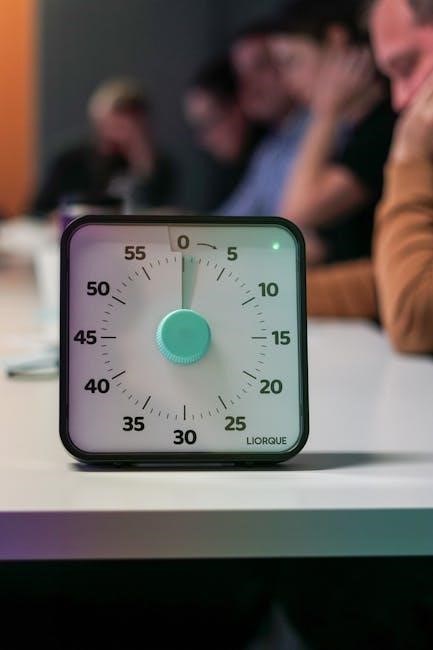
Gymboss timers efficiently structure HIIT workouts, offering customizable intervals from 2 seconds to 99 minutes, with up to 99 repeats – a truly versatile tool!
Understanding the Gymboss Timer
The Gymboss timer is a specialized device designed to enhance interval training, particularly High-Intensity Interval Training (HIIT). Unlike standard stopwatches, it’s engineered to automatically cycle between work and rest periods, freeing you from constantly monitoring time during your workouts. This allows for focused effort and optimal performance.
Its core function revolves around pre-programmed intervals. You define the duration of your work bursts and recovery phases, and the timer diligently counts down and alerts you when to transition. The device boasts a user-friendly interface with just three buttons – NEXT, CHANGE, and START – simplifying the setup process. These functions are also conveniently printed on the timer’s reverse side for quick reference.
The Gymboss isn’t merely a timer; it’s a workout companion. Its compact size and clip-on design make it easily portable, suitable for various exercise settings, from the gym to outdoor training. The backlit LCD screen ensures visibility in any lighting conditions, further enhancing its practicality.
What is a Gymboss Timer and Why Use It?
A Gymboss timer is a compact, interval timing device specifically created to optimize workouts, particularly HIIT. It automates the work-rest cycle, eliminating the need to constantly check a clock, allowing complete focus on exercise form and intensity. This leads to more efficient and effective training sessions.
Why choose a Gymboss? It’s ideal for anyone seeking structured interval training. Whether you’re a seasoned athlete or just starting, the timer’s customizable settings cater to all fitness levels. You can precisely control work and rest durations, ranging from 2 seconds to 99 minutes, and set the number of rounds up to 99 repetitions.
Using a Gymboss promotes consistency and prevents overtraining. The clear alerts signal transitions, ensuring you adhere to your planned intervals. Its portability and backlit screen make it suitable for any location and lighting, making it a versatile addition to your fitness routine. It’s more than a timer; it’s a performance enhancer.
Key Features of the Gymboss Timer
The Gymboss interval timer boasts several key features designed for optimal workout management. A prominent feature is its highly customizable interval setting, allowing users to program both work and rest periods anywhere from a swift 2 seconds up to a lengthy 99 minutes. This flexibility caters to diverse training styles and fitness goals.
Furthermore, the timer supports up to 99 rounds or repeats, enabling extended and challenging workout routines. The inclusion of a backlit LCD screen ensures visibility in any lighting condition, crucial for both indoor and outdoor training sessions. The device is remarkably user-friendly, controlled by just three buttons: NEXT, CHANGE, and START.
Its compact and lightweight design enhances portability, making it an ideal companion for gym visits, home workouts, or outdoor activities. The timer’s durable construction ensures longevity, while its simple interface guarantees ease of use, even for beginners. It’s a powerful tool packaged in a convenient form.
Setting Up Your Gymboss Timer
Gymboss setup is straightforward; install batteries, familiarize yourself with the NEXT, CHANGE, and START buttons, and understand the display for efficient interval programming!
Initial Setup and Battery Installation
Before embarking on your interval training journey with the Gymboss timer, proper initial setup is crucial for optimal performance. This begins with battery installation, ensuring a reliable power source for your workouts. Typically, the Gymboss timer requires button cell batteries, often CR2032s, though it’s always best to consult your specific model’s documentation to confirm the correct type.
To install the batteries, locate the battery compartment, usually on the back of the timer unit. Gently open the compartment cover – it may require a small screwdriver or a fingernail to pry open. Insert the batteries, paying close attention to the polarity markings (+ and -) inside the compartment. Incorrect polarity can prevent the timer from functioning correctly or even damage the device.
Once the batteries are securely in place, close the compartment cover, ensuring it clicks or snaps shut properly. A quick self-test, by pressing the START button, will confirm successful battery installation and that the timer is powered on and ready for programming. Remember to periodically check and replace the batteries as needed to maintain consistent performance during your training sessions.
Identifying the Buttons: NEXT, CHANGE, and START
The Gymboss timer’s functionality revolves around three primary buttons: NEXT, CHANGE, and START. Understanding each button’s purpose is fundamental to effectively programming and operating the device. The NEXT button is your navigational tool, allowing you to cycle through the various settings you’re configuring – work time, rest time, and the number of rounds.
The CHANGE button acts as the modifier. Once you’ve navigated to a specific setting using the NEXT button, pressing CHANGE allows you to adjust the value of that setting. This is how you’ll input your desired work and rest durations, as well as the total number of repetitions for your workout. It’s important to note that the values increase incrementally with each press.
Finally, the START button initiates the timer sequence. Once your work and rest intervals, and round count are set, pressing START will begin the programmed workout; It also serves as a pause/resume button during operation, offering control over your training session. These functions are also printed on the reverse side of the timer.
Understanding the Display Screen
The Gymboss timer features a clear, backlit LCD screen designed for easy readability in various lighting conditions. This is particularly useful for workouts conducted outdoors or in dimly lit gyms. The screen is divided into sections, each displaying crucial information about your programmed interval timer.
Typically, the top portion of the screen showcases the currently active interval – either the work time or the rest time. This display counts down, visually indicating the remaining duration of the current interval. Below this, you’ll find indicators for the current round number and the total number of rounds programmed. This allows you to track your progress throughout the workout.
The screen also provides visual cues when the timer is paused or stopped. The backlight enhances visibility, ensuring you can easily monitor the timer even during intense exercise. Familiarizing yourself with the screen layout is key to maximizing the Gymboss timer’s effectiveness and ensuring a smooth, uninterrupted workout experience.

Programming Interval Timers
Gymboss timers excel at interval programming, allowing customization of work and rest periods from 2 seconds up to 99 minutes, repeated up to 99 times.
Setting Work and Rest Intervals

The Gymboss timer’s core functionality revolves around precisely setting work and rest intervals to optimize your HIIT (High-Intensity Interval Training) or circuit training sessions. This customization is achieved through the intuitive button layout – specifically utilizing the ‘NEXT’ and ‘CHANGE’ buttons. To begin, you’ll first establish the duration of your work interval. Pressing ‘NEXT’ will highlight the work interval display, and then use ‘CHANGE’ to increment the time, scrolling through seconds and minutes until your desired work duration is displayed.
Once the work interval is set, press ‘NEXT’ again to move to the rest interval setting. Again, employ the ‘CHANGE’ button to adjust the rest interval to your preferred length. Remember, the timer accommodates intervals ranging from a mere 2 seconds to a substantial 99 minutes, providing incredible flexibility for diverse training protocols. Carefully consider your fitness level and training goals when determining appropriate work-to-rest ratios. Shorter rest periods increase intensity, while longer rest periods allow for greater recovery between bursts of effort. Accurate interval settings are crucial for maximizing the effectiveness of your workouts.
Adjusting Interval Duration (2 Seconds to 99 Minutes)
The Gymboss timer boasts an impressively wide range for interval duration adjustment, spanning from a brief 2 seconds to a lengthy 99 minutes. This versatility caters to all fitness levels and training styles, allowing for highly customized workouts. The ‘CHANGE’ button is your primary tool for modifying these durations. When the desired interval (work or rest) is highlighted – achieved by pressing ‘NEXT’ – each press of ‘CHANGE’ incrementally increases the time.
The timer cycles through seconds and then minutes, ensuring precise control. To quickly reach higher values, hold the ‘CHANGE’ button down; the numbers will scroll faster. Conversely, if you overshoot your desired duration, continue pressing ‘CHANGE’ and it will eventually loop back around. Remember to pay close attention to the display screen to confirm the correct interval length. This granular control is essential for tailoring workouts to specific needs, whether it’s short, explosive sprints or longer, endurance-focused intervals. Mastering this adjustment is key to unlocking the full potential of your Gymboss.
Setting the Number of Rounds/Repeats (Up to 99)
Once you’ve established your work and rest intervals, defining the number of rounds or repeats is the next crucial step in programming your Gymboss timer. This determines how many times the work/rest cycle will repeat during your workout. Similar to adjusting interval duration, the ‘CHANGE’ button is instrumental in setting the desired number of rounds, which can range from 1 to 99. After selecting the ‘Rounds’ setting using the ‘NEXT’ button, each press of ‘CHANGE’ increments the round count by one.
Holding down the ‘CHANGE’ button accelerates this process, allowing you to quickly reach higher repetition numbers. Consider your fitness level and workout goals when determining the number of rounds. Beginners might start with fewer rounds, gradually increasing the number as their endurance improves. The Gymboss’s ability to handle up to 99 rounds provides ample flexibility for both short, intense sessions and longer, more demanding training routines. Always double-check the display to ensure the correct number of rounds is programmed before starting your workout.
Using the Gymboss Timer During Workouts
Gymboss timers offer simple operation: press ‘START’ to begin, pause for breaks, and stop when finished; the backlit LCD screen ensures visibility during any session!
Starting, Pausing, and Stopping the Timer
The Gymboss timer’s operation is remarkably straightforward, designed for seamless integration into your workout routine. To initiate a session, firmly press the ‘START’ button. The timer will immediately begin counting down from your pre-programmed work interval. During the work interval, the timer provides clear auditory and, if activated, visual cues.

If you need a momentary break within a work interval – perhaps to adjust equipment or regain composure – a quick press of the ‘START’ button will pause the timer. Pressing it again resumes the countdown from where it left off. This feature is incredibly useful for maintaining workout flow without losing track of time.
To completely stop the timer and end the current workout, press and hold the ‘START’ button for approximately two seconds. This will halt the countdown and reset the timer to the beginning of the current round, or to zero if it’s the final round. Remember to review your settings before starting a new workout to ensure accuracy and optimal performance. The simplicity of these controls makes the Gymboss ideal for all fitness levels.
Backlit LCD Screen Functionality
The Gymboss interval timer boasts a convenient backlit LCD screen, significantly enhancing usability in various lighting conditions. This feature is particularly valuable for outdoor workouts, dimly lit gyms, or early morning/late evening training sessions where visibility might be compromised. The backlight ensures clear readability of the remaining time for both work and rest intervals, preventing any guesswork or disruption to your focus.
While the Gymboss doesn’t explicitly detail a dedicated backlight button, the illumination activates automatically with each button press, providing a momentary flash of light to confirm your input and display the current settings. This design choice conserves battery life while still offering crucial visibility when needed.
The screen displays the remaining time in a large, easy-to-read format, allowing for quick glances during intense exercise. The clear presentation of information, coupled with the backlit functionality, contributes to a more efficient and effective HIIT workout experience, ensuring you stay on track and maximize your results.
Tips for Effective HIIT Workouts with Gymboss
To maximize your High-Intensity Interval Training (HIIT) with the Gymboss timer, prioritize proper warm-up and cool-down routines. Begin with 5-10 minutes of dynamic stretching and light cardio to prepare your muscles. Utilize the timer’s customizable intervals to structure your work periods – pushing to near maximum effort – followed by strategically timed rest periods for recovery.
Experiment with different work-to-rest ratios (e.g., 20 seconds work, 10 seconds rest) to find what suits your fitness level and goals. Don’t be afraid to adjust the interval duration and number of rounds as you progress. The Gymboss’s versatility allows for progressive overload, gradually increasing intensity or volume over time.
Focus on maintaining proper form throughout each exercise to prevent injuries. Listen to your body and take extra rest if needed. Remember, consistency is key! Incorporate Gymboss-guided HIIT sessions 2-3 times per week for optimal results, and always prioritize recovery between workouts.
Troubleshooting Common Issues
If the Gymboss isn’t responding, check the battery; incorrect settings can be adjusted using the NEXT and CHANGE buttons for optimal performance;
Timer Not Responding
If your Gymboss timer suddenly stops responding to button presses, the first and most common solution is to address the battery. Ensure the battery is correctly installed with the proper polarity, as even a slight misalignment can prevent the timer from functioning. A low battery is a frequent culprit, especially with extended use or if the timer has been stored for a period.
Try replacing the battery with a fresh one of the correct type – typically a CR2032 button cell battery. After replacing the battery, attempt to power on the timer by pressing the START button. If the timer still doesn’t respond, double-check that the battery compartment is securely closed.
In rare cases, static electricity or a minor internal glitch might cause a temporary freeze. A hard reset isn’t typically available on the Gymboss, but removing and reinserting the battery can sometimes resolve such issues. If none of these steps work, it may indicate a more significant hardware problem, and contacting customer support might be necessary.
Incorrect Interval Settings
If your Gymboss timer isn’t counting down intervals as expected, carefully review your programmed settings. Remember the timer allows adjustments for both work and rest periods, ranging from 2 seconds up to 99 minutes. Use the CHANGE button to cycle through the settings – work interval, rest interval, and number of rounds – ensuring each value is correct.
Pay close attention to accidentally setting the work or rest duration to zero, as this can cause unexpected behavior. Also, verify the number of rounds/repeats is set to your desired amount. It’s easy to miscount or accidentally set a low number.
To correct settings, press CHANGE to select the parameter you want to modify, then use NEXT to increase the value, and CHANGE again to move to the next setting. Double-check all values before starting your workout. The instructions are also printed on the reverse side of the timer for quick reference.
Battery Life and Replacement
The Gymboss timer operates on readily available batteries, ensuring convenient and uninterrupted use during your workouts. While battery life varies depending on usage frequency and display brightness (backlight activation), you can generally expect several months of operation from a fresh set.
When the display begins to dim or the timer becomes unresponsive, it’s time for a battery replacement. The timer typically requires button cell batteries (specific type will be indicated in the manual or on the battery compartment door).
To replace the batteries, locate the battery compartment (usually on the back of the timer) and carefully open it. Remove the old batteries and insert new ones, ensuring correct polarity (+ and -). Close the compartment securely. Regularly checking and replacing batteries proactively will prevent interruptions during crucial workout intervals and maintain optimal timer performance.